
The Technology Support Centers (TSC) are first-come, first-serve for faculty, staff and students. Services are offered for personal and university-owned devices.
We require that you bring your charger with your computer at check-in.
Boone Campus
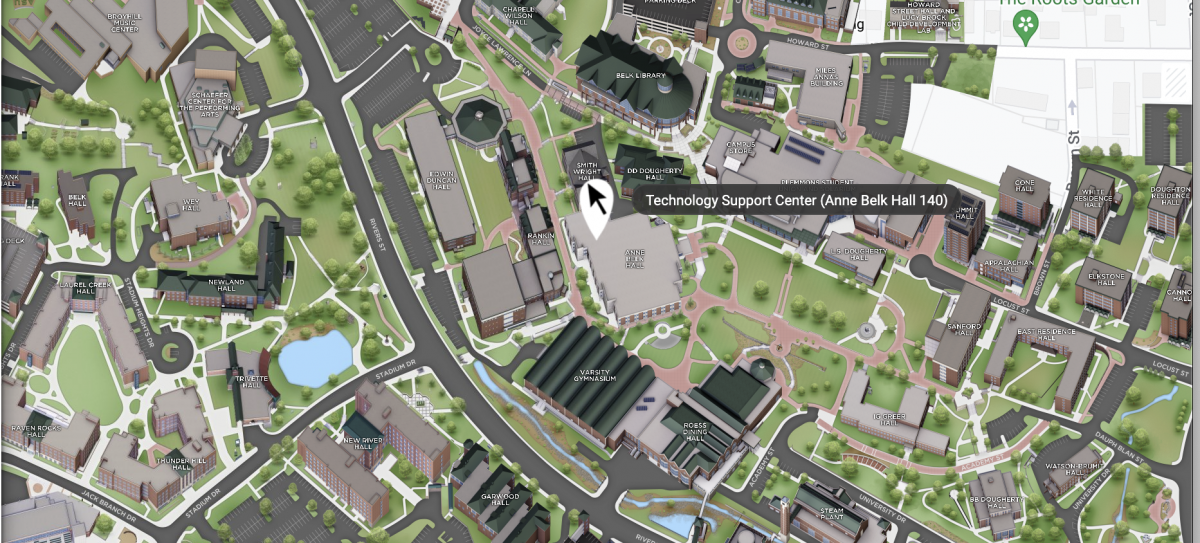
Located in Anne Belk Hall, Room 140
Fall/Spring Hours
Mon - Fri: 8 a.m.–6 p.m.
Summer, Fall & Winter Break Hours
Mon-Fri 8 a.m.–5 p.m.
Hickory Campus
Located in Room 1414, the Hickory Library & Information Commons offers a variety of services, including technology checkout and printing services.
Fall/Spring Hours
Mon-Thurs 7:30 a.m.–7 p.m.
Fri, 8 a.m.–4 p.m.
Summer, Fall & Winter Break Hours
Mon-Thurs 7:30 a.m.–5 p.m.
Fri, 8 a.m.–4 p.m.
Contact Information
Phone: 828-262-8324 option 3
Email: resnet@appstate.edu
Submit a ticket: tech.appstate.edu
- Indicate your location in the support ticket so that requests are routed to the appropriate contact.
- Review the Knowledge Base article How to Enter a Support Ticket for instructions on selecting your location and submitting a ticket.
Software
Services We Offer
- Configuring a new system
- Assistance with wifi registration
- Technology consulting/troubleshooting
- Virus and spyware removal
- Operating system and software installations
- Computer software and hardware testing
- Warranty fulfillment for Dell and Apple
- Safeware insurance
- Assistance with installation of Microsoft Office 365
- Technology equipment rentals
- Print zone support
Quick Troubleshooting Guide
- Account Issues & passwords
Most password, account, lab computer login, Udesk login and other authentication issues can be solved by changing your password at iam.appstate.edu. - Security and 2-factor authentication
App State users must use two-factor authentication (Duo) to help prevent unauthorized login attempts. Remember, App State will never ask you for a password or personal information via email. You can report any suspicious activity to phish@appstate.edu - Wireless
Visit wifi.appstate.edu for instructions on how to connect to the App State Network. - Wired, Gaming and Home Entertainment Devices
Follow the instructions to Connecting a Gaming System and/or SmartTV on App State's Network.